



DIGITAL PARKING PERMIT GUIDE
Students & Employees
Digital parking permits are required at Foothill-De Anza Community College District parking lots at Foothill College, De Anza College and the Sunnyvale campus.
Students, faculty and staff, please follow the steps below to register your vehicle for a free digital parking permit. Parking permits are free for students, faculty, and staff. Your license plate serves as your parking permit, there are no physical permit or decals required.
Students: Please wait at least one hour after registering for classes before attempting to log in to iParq and obtain a parking permit. This allows time for your registration information to transfer to the parking system.
Step 1

Students, Faculty, Staff sign in here: http://fhda.thepermitstore.com. You will be directed to the FHDA Permit Store (iParq).
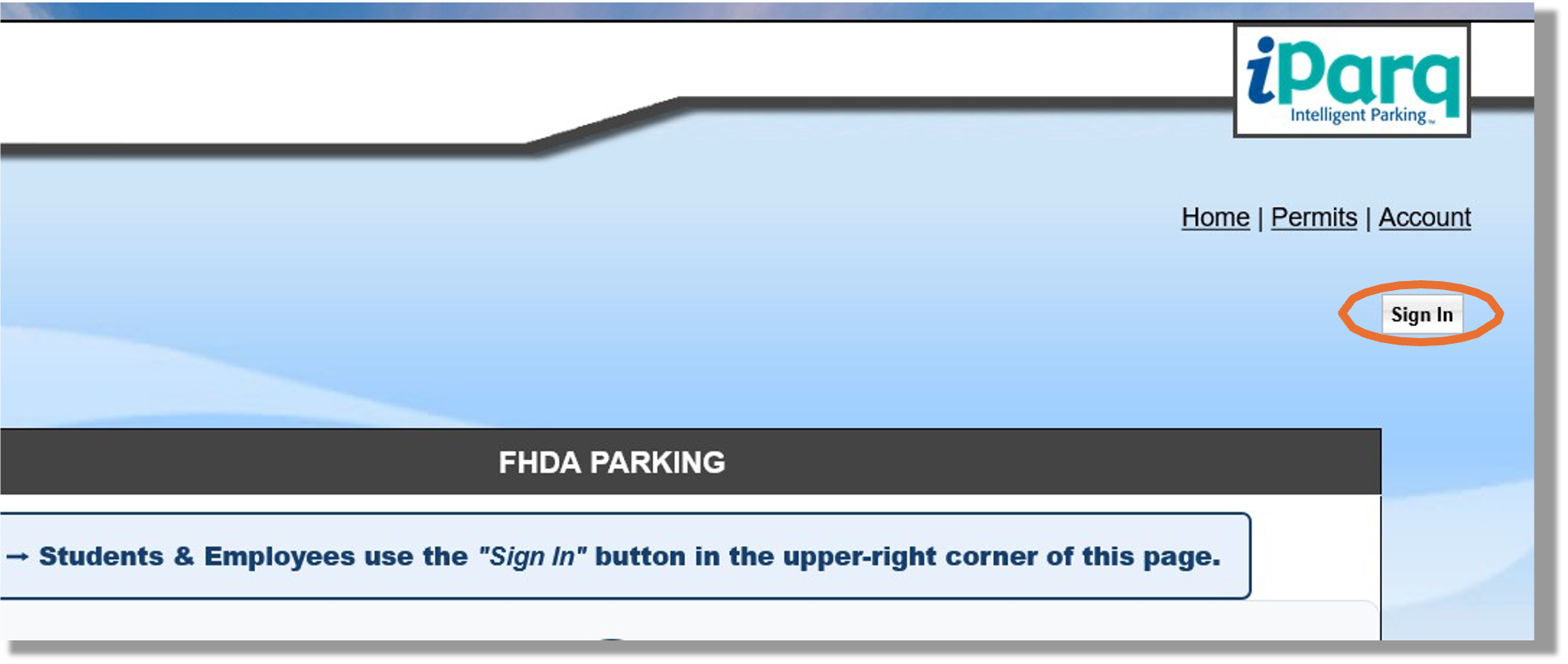
Sign in the upper right corner of the page. Once you click "sign in", it will re-direct you to the FHDA portal where you will sign in using your CWID and password. Do not create a new account.
Your CWID log in will automatically link to your account. In “Account”, you can manage your vehicles and permits.
Step 2
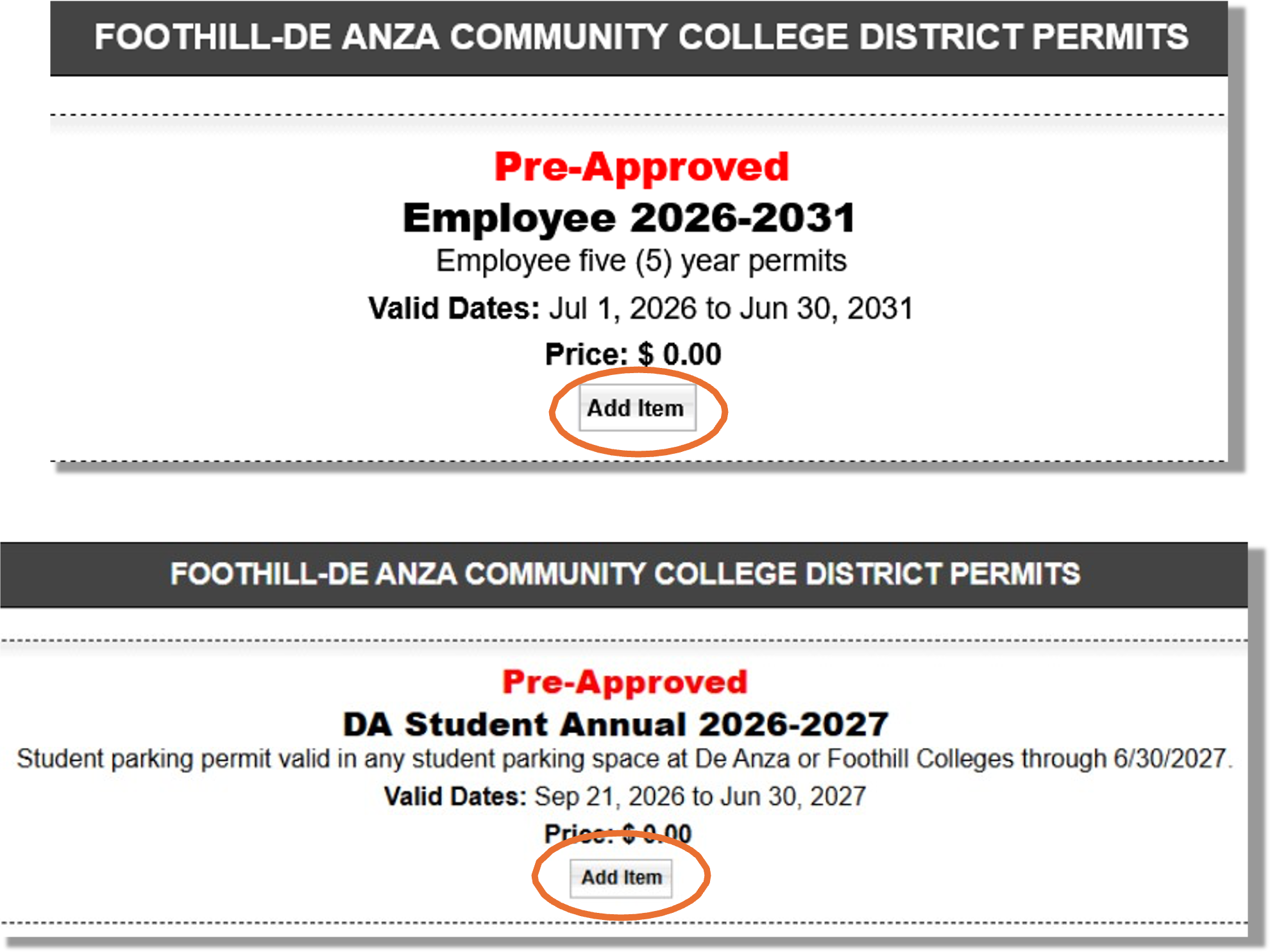
Click “Add Item” for the pre-approved parking permit. After you log in, you will either see the “Employee” or “Student’ view. See examples below.
Step 3
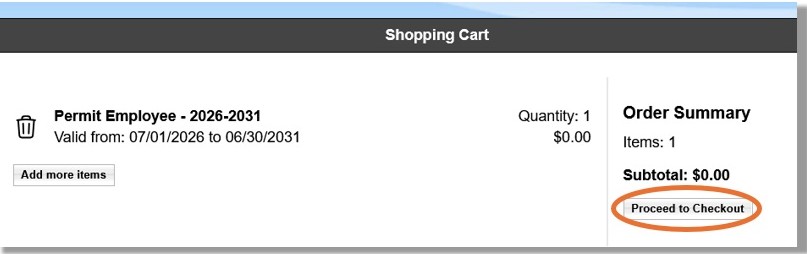
Click “Proceed to Checkout”.
Step 4
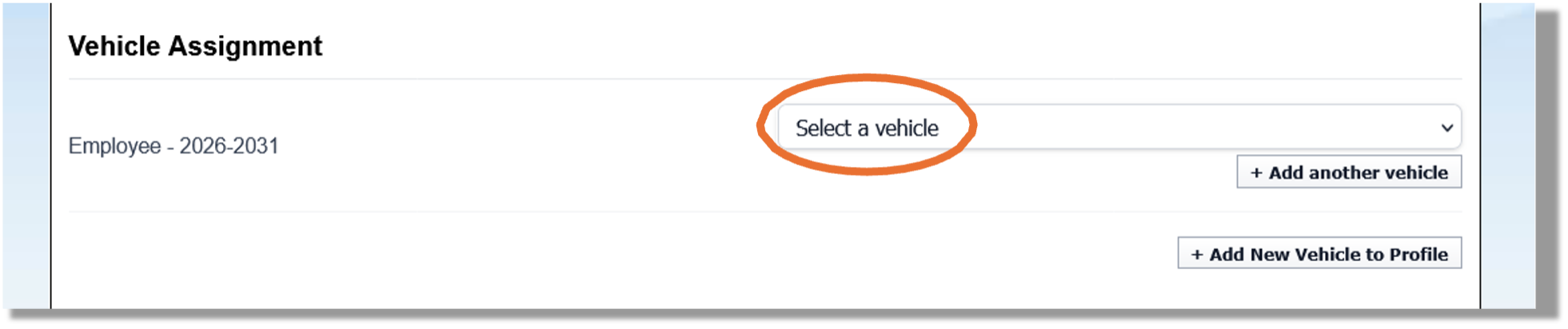
Select an existing vehicle from the drop-down menu or click “Add another vehicle”. Only one vehicle registered in the system can be parked on any campus at any given time. If more than one vehicle is parked at a time on either college campus per day, this could this result in a citation for each vehicle parked.
Once done adding vehicles, select the primary vehicle that you will be driving to campus and click “Continue” at the bottom of the page. Verify the permit is in your cart and proceed to Checkout.
Step 5
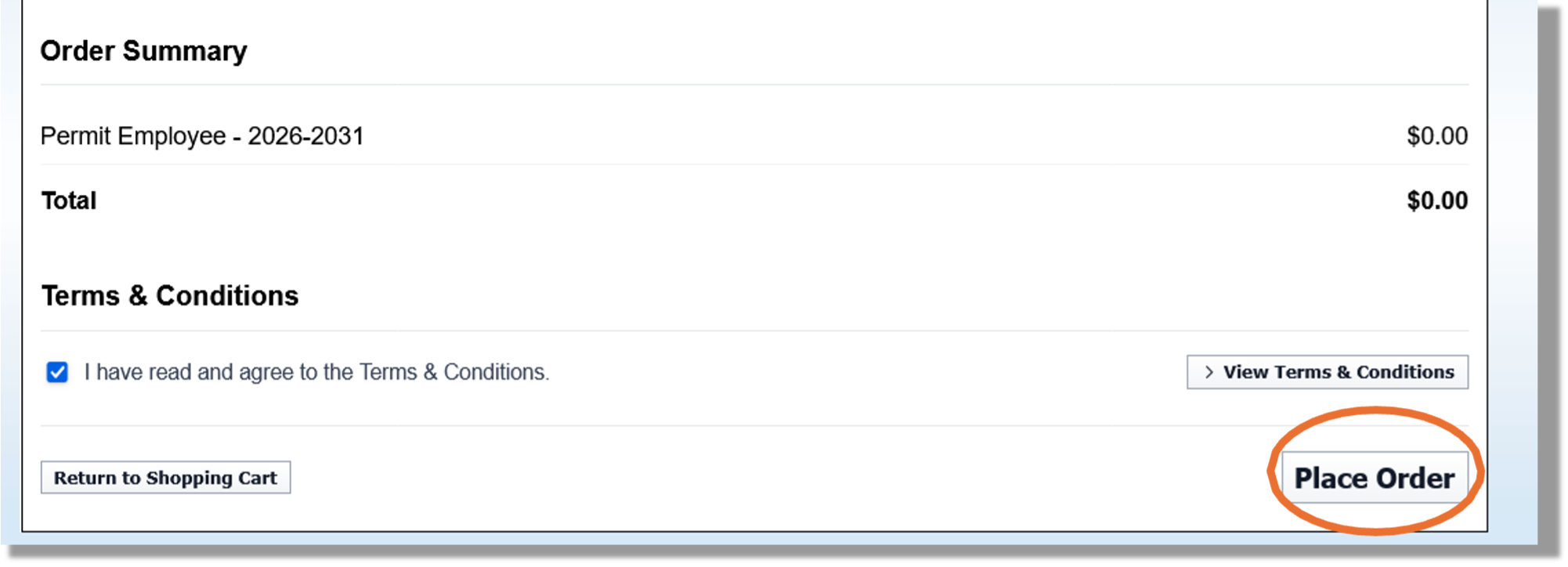
Complete Checkout. Review your order, accept the Terms & Conditions, and click “Place Order.”
Step 6
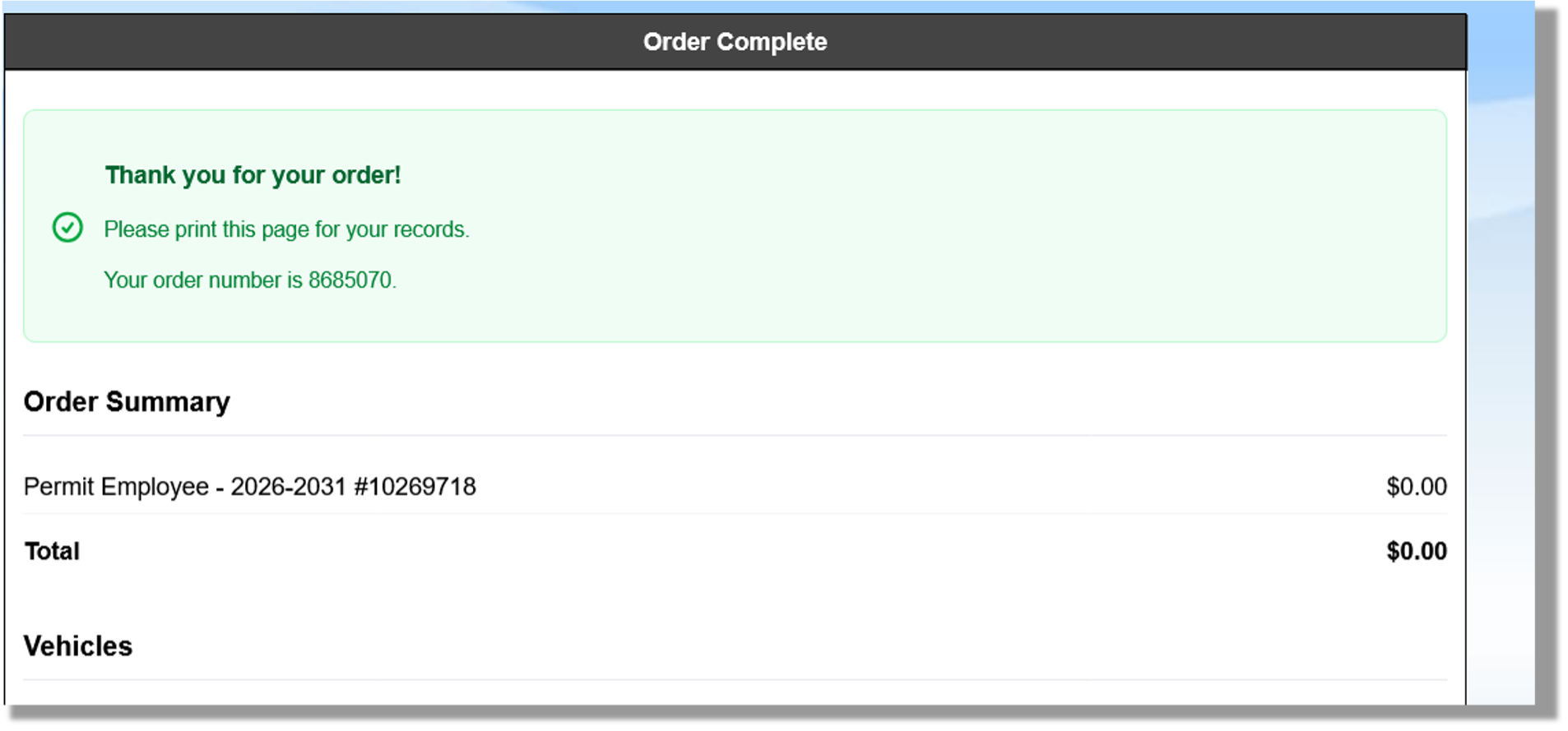
Your order is complete! Save or print the confirmation for your records. You will also be sent an “Order Confirmation – Foothill-De Anza Community College District” email confirmation with your order number and vehicle summary.
Adding a Vehicle
If you need to add vehicles after your have completed the initial request, select
"Account" and select "Manage Vehicles".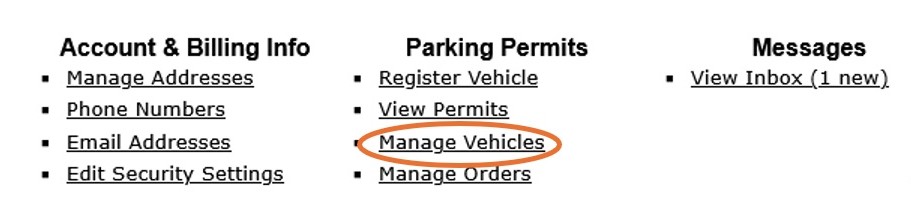
A pop-up window will appear to add your vehicle. If you have multiples vehicles, add them one at a time. All of the vehicle field sections are required (license plate, state, year, color, make, model, and type), then click “+Add.” Please double-check your details. A TYPO IN THE LICENSE PLATE FIELD WILL RESULT IN PARKING CITATIONS. Any citation issued as a result of entering the information incorrectly will not be dismissed.
Important Information
- Use your CWID and password to sign Do not create a new account.
- Parking permits are free for students, faculty, and staff
- Your license plate is your parking permit
- You may register multiple vehicles to your account, but only one registered vehicle may be parked on any of the Foothill-De Anza District campuses (Foothill, De Anza, Sunnyvale) at a time
- Vehicles parked simultaneously under the same account are subject to a parking citation resulting in a fine
- Keep your license plate clearly visible at all times
- A TYPO IN THE LICENSE PLATE FIELD WILL RESULT IN PARKING CITATIONS
- Any citation issued as a result of entering the information incorrectly will not be dismissed
- Questions? Email [email protected]